Home » Products » Interfacing » NAVLink Blue – NMEA 2000 to BT

NAVLink Blue – NMEA 2000 to BT

$309.95

“NAVLink Blue is a new interfacing product from Digital Yacht, connecting BT devices such as phones, tablets and sensors to NMEA 2000 networks. It allows app developers for iOS and Android who support BT to take advantage of data that’s available on the boat’s NMEA 2000 backbone.”

SKU: ZDIGNLINKBT Categories: , Tags: ,
Description

KEY FEATURES

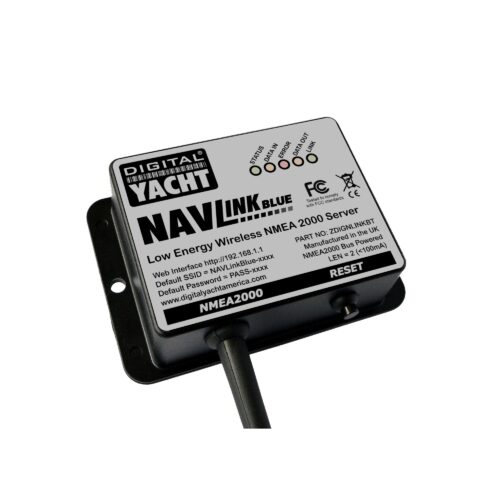
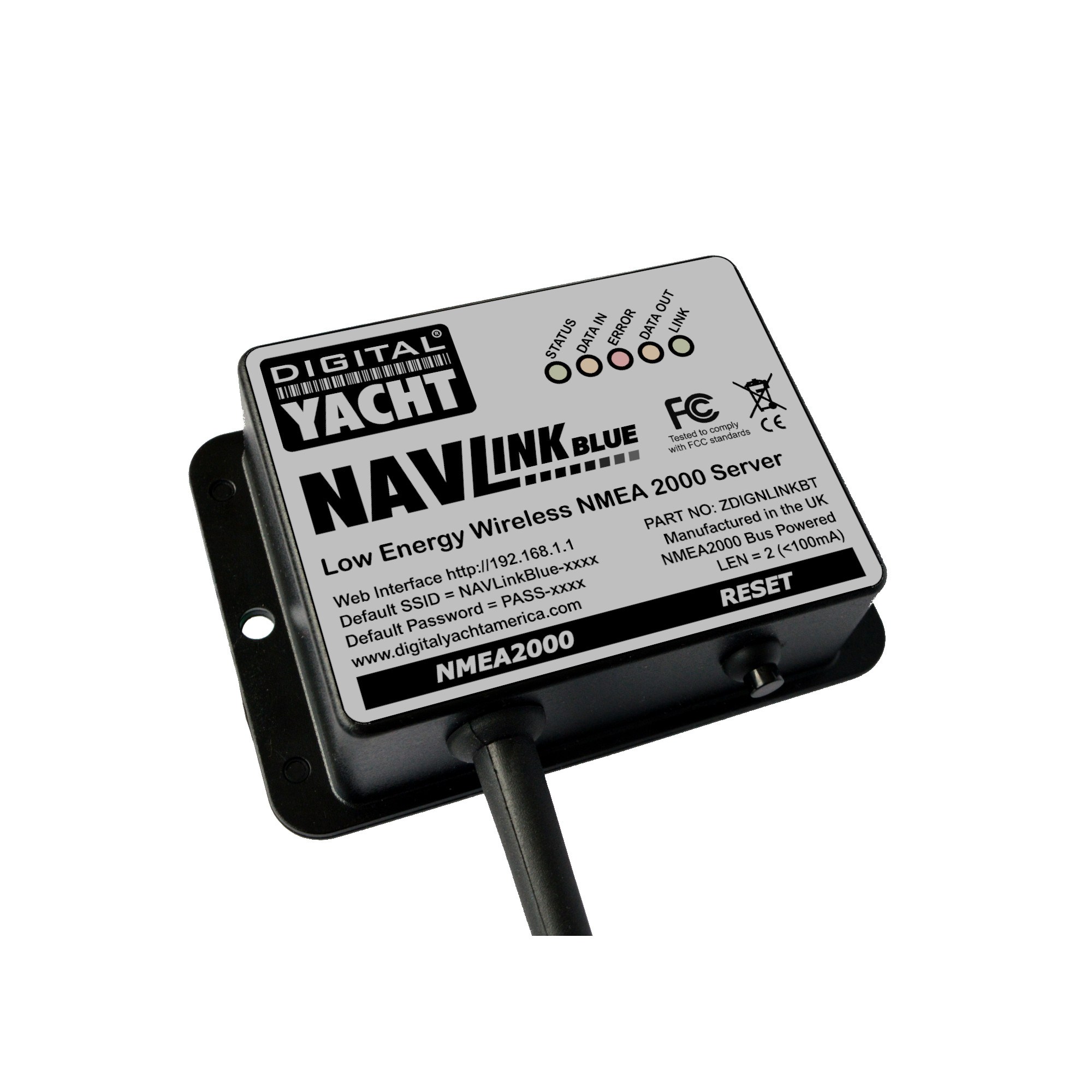
NAVLink Blue is a new interfacing product from Digital Yacht, connecting BT devices such as phones, tablets and sensors to NMEA 2000 networks. It allows app developers for iOS and Android who support BT to take advantage of data that’s available on the boat’s NMEA 2000 backbone – for instance, GPS, AIS, instrument, engine or electrical information. The gateway is also bi-directional so BT sensor data can be communicated back to the NMEA 2000 system. This allows an interesting range of 3rd party sensors to connect to boat systems.

NavLink Blue is self powered from the NMEA 2000 network so fits in seconds.  It’s also easy to pair with the other BT device. For developers, Digital Yacht publish a SDK on their Github site which opens up raw NMEA 2000 data to coders for 3rd party development.

Many boaters may be happy utilising the existing and popular Digital Yacht NAVLink WiFi gateway which works with apps like Navionics, AquaMaps, TZ iBoat, etc. and provides data for AIS, instrument and GPS overlays. However, BT brings a new range of low power connectivity options to your on board NMEA 2000 network and the ability to integrate interesting sensors too.

The popular NMEA Remote app already supports NAVLink Blue, transforming an iPad into a full function, highly configurable instrument display.

CONFIGURATION

You can configure the NavLink Blue through its own simple web interface.

Just open your web browser, enter the NavLink Blue’s IP address, and you can filter by PGN Category, perform software updates, and debug the NMEA network.

Our gateway can be switched to a Wi-Fi mode like many of our products. This Wi-Fi mode can be used to perform software updates, debug the NMEA network, and configure filters. Please note that a maximum of three clients can connect to the gateway at any one time.

To switch from BT to Wi-Fi mode, follow these steps:

  1. Press and hold the reset button for 5 seconds.
  2. The LEDs will light up in sequence.
  3. When all 5 LEDs are illuminated, release the button.
Once in Wi-Fi mode, the NavLink Blue is ready for configuration through the web interface.

SPECIFICATIONS

  • NMEA 2000 to BT server
  • Links NMEA 2000 data to BT devices such as phones and tablets
  • Enables BT sensors to integrate with NMEA 2000 networks
  • SDK available for developers looking to embed NMEA 2000 connectivity in their sensors or systems
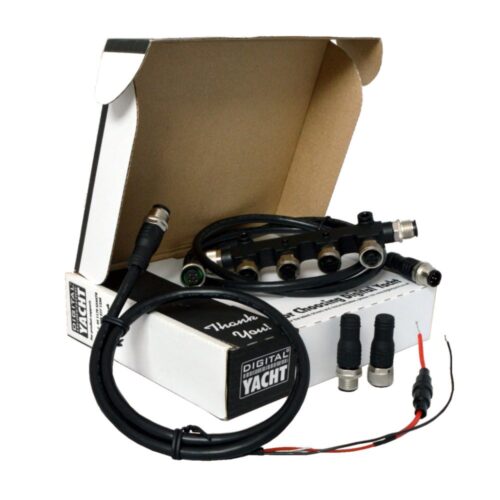
  • Self powered from NMEA 2000 network and includes connection cable
  • Easy wireless setup using just a browser
  • Supports multiple connections
  • Compatible with popular NMEA Remote app for iOS – turns your phone or iPad into a sophisticated instrument display
Additional information
Weight 192 g
Dimensions 105 × 72 × 32 mm
Sales FAQs

Is the pack compatible with all NMEA 2000 networks?

Yes. NAVLink Blue complies with the NMEA 2000 standard and works with all N2K-certified equipment: wind sensors, speed or depth probes, GPS, environmental sensors, etc. It is also compatible with the Raymarine SeaTalkNG standard via an NMEA 2000 to SeaTalkNG connector adapter.

Can NMEAremote app and the RuuviTag sensor scanning function be used simultaneously?

No. The NAVLink Blue operates either in continuous data transmission mode to NMEAremote (or other applications) or in scan mode for nearby Bluetooth sensors such as RuuviTags. It is not possible to use both modes simultaneously.

Does NAVLink Blue replace a Wi-Fi router?

No. It is designed as an NMEA 2000 Bluetooth gateway (and Wi-Fi for configuration), but is not intended to replace a WiFi router.

Can NAVLink Blue be customised?

Yes. Using the SDK provided, developers can create their own Bluetooth integrations and connect new sensors or systems to the NMEA 2000 network.

Does NAVLink Blue work straight out of the box?

Yes. It is immediately operational in Bluetooth mode and can send NMEA 2000 data to the NMEAremote iOS application without advanced configuration.

Does the installation require technical skills?

No. Simply connect the NAVLink Blue to the NMEA 2000 backbone.

What is the Bluetooth range of the NAVLink Blue?

The range varies depending on the environment. In general, it is 10 to 15 metres. However, please note that steel or carbon fibre hulls can significantly attenuate the signal and require more careful installation. 

Is the NavLink Blue compatible with all NMEA 2000 networks?

Yes. The NAVLink Blue complies with the NMEA 2000 standard and works with all N2K-certified equipment: wind sensors, speed or depth probes, GPS, environmental sensors, etc. It is also compatible with the Raymarine SeaTalkNG standard via an NMEA 2000 to SeaTalkNG connector adapter.

Using NAVLink Blue with NMEA Remote App
NAVLink Blue will not appear in a conventional Bluetooth pairing screen because it supports a specific standard.

Ensure NAVLink Blue is in BT mode.

Then open NMEA Remote on your iPhone or iPad.

Tap Menu, then Settings (by clicking on “NMEA Remote” at the top of the menu).

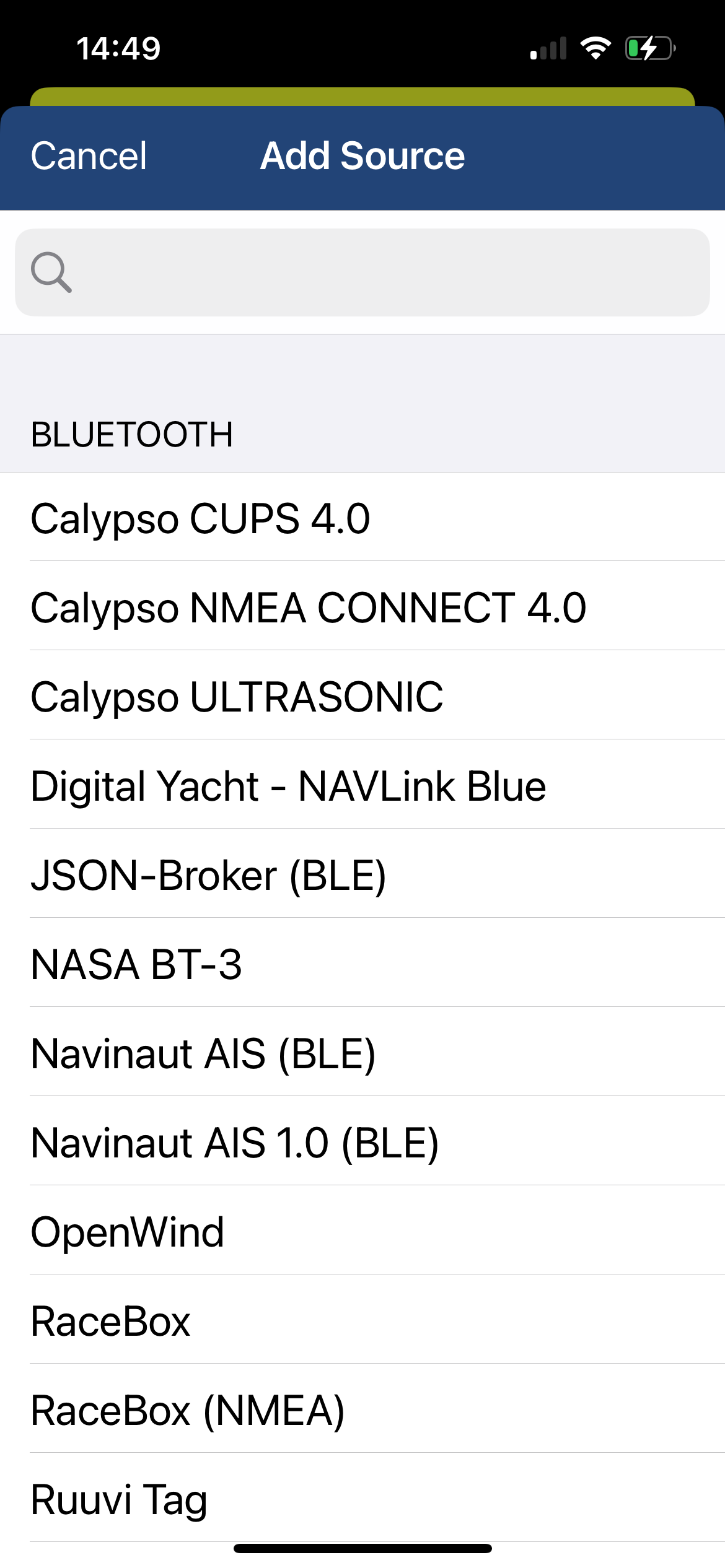
Navigate to NMEA > Sources > Edit > Add Source.

NAVLink Blue should appear in the list.
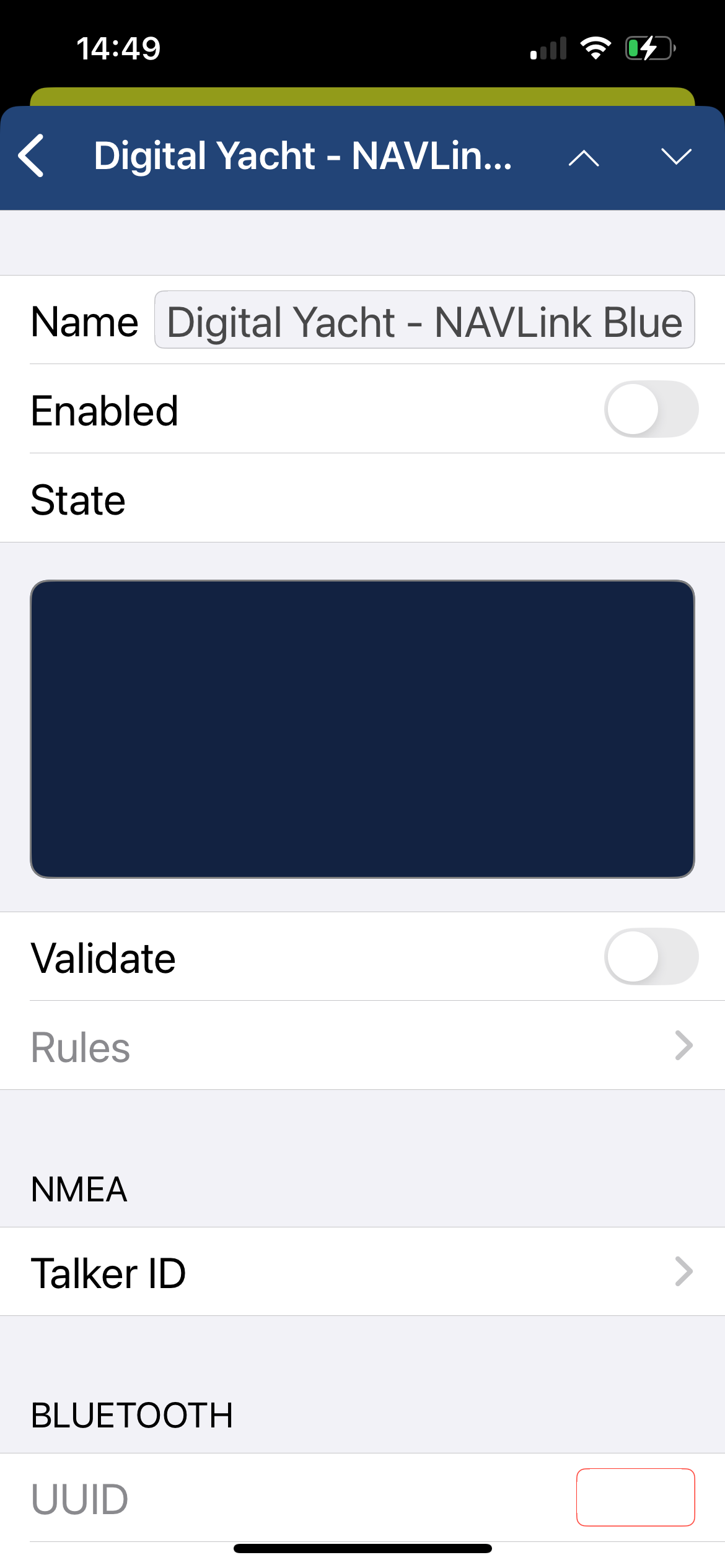
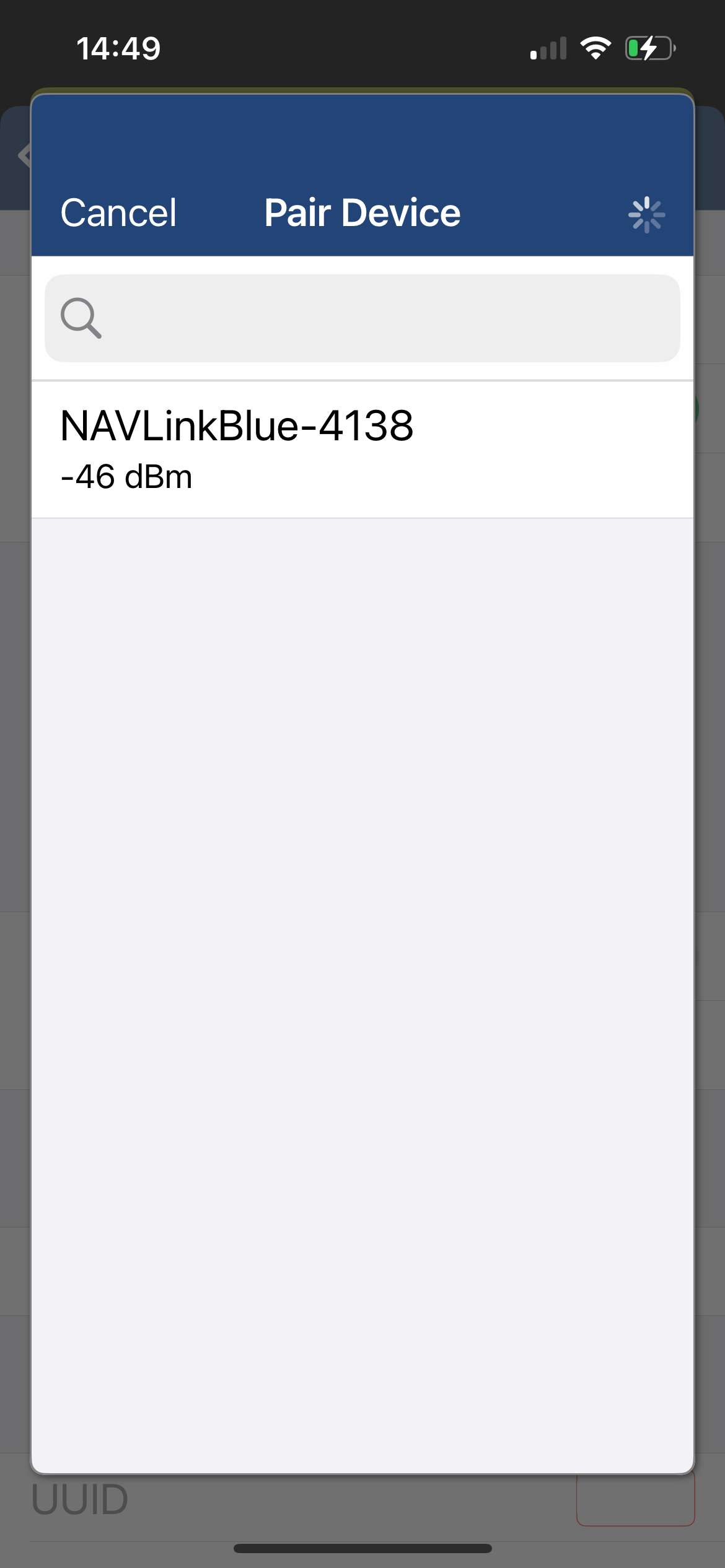
After you select NAVLink Blue in sources, you click the Enabled switch in the second screen shot. That brings up the Pair Device page
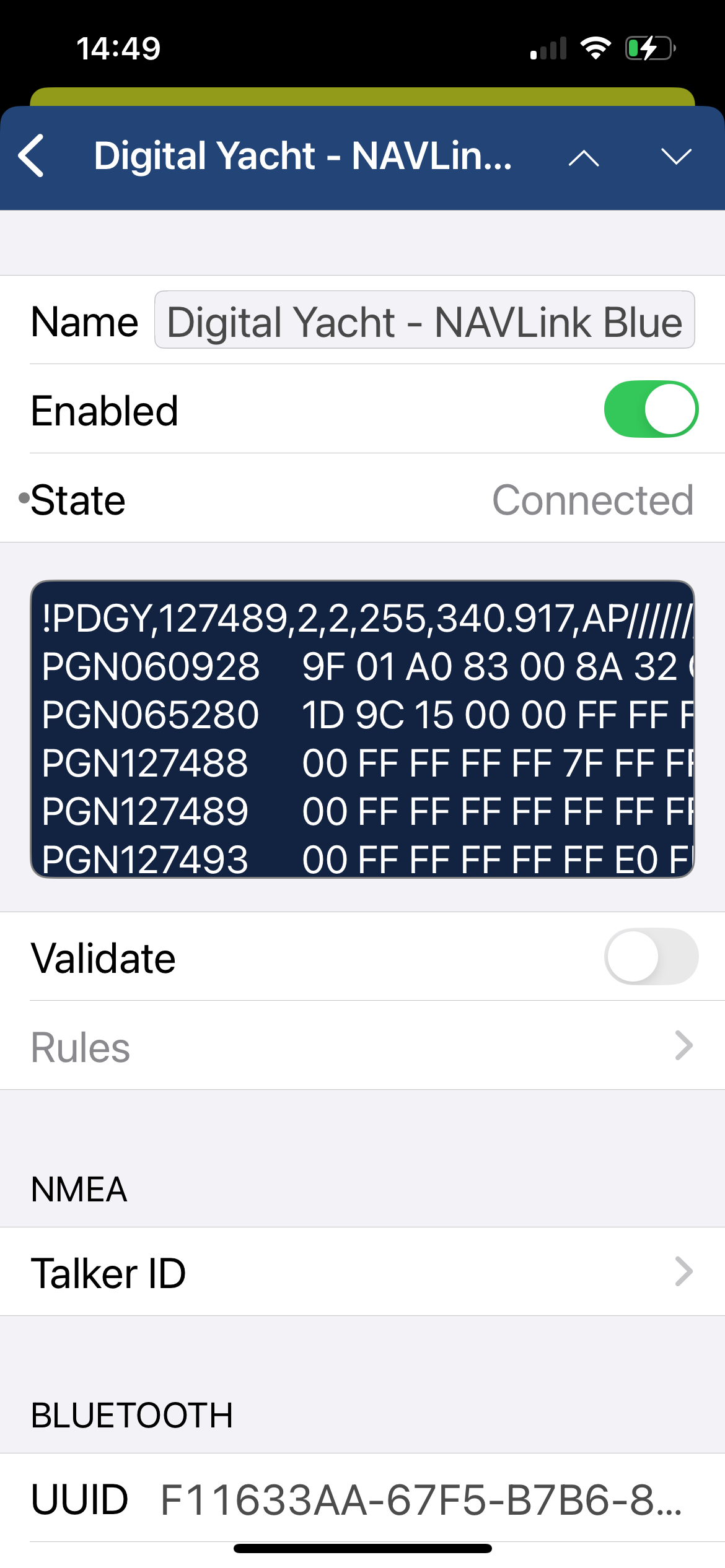
Now you should see NMEA data in the black box.
Manual and Downloads

Ruuvi Sensors & NavLink Blue V1_00

786.93 KB

Ruuvi Sensors & NavLink Blue User Manual V1_00

NavLink Blue Product Manual V1.01

762.22 KB

NavLink Blue Latest User Manual V1.01

NAVLink Blue - Info for Apps Developers

247.00 KB

Our NAVLink Blue device uses Bluetooth Low Energy (BLE) to connect the NMEA 2000 (CAN BUS) to Bluetooth clients in a full duplex mode.

what inside box

  • 1m NMEA2000 drop cable
  • WiFi antenna built-in
  • Product Video